

Client payment experience
What your clients see when they sign in to pay your invoices, how to give them access, and how to keep payment methods inside your own app.
Your clients can sign in to Wingspan to see the invoices you send them, pay them and manage how they pay. If you'd rather keep clients in your own product, use Wingspan's embedded payment-method screens and build the invoice screens on the invoice API.
Give a client access
- Create a Payer for the client, with their billing email in
profile.email. - Invite the Payer. The invitation takes the client to registration, where they set a password or sign in with Google.
- Send invoices as usual. Once the client signs in, the invoices you send them appear in their portal.
A client that already has a Wingspan Account can claim your Payer record through a payer link request instead.
What your client sees
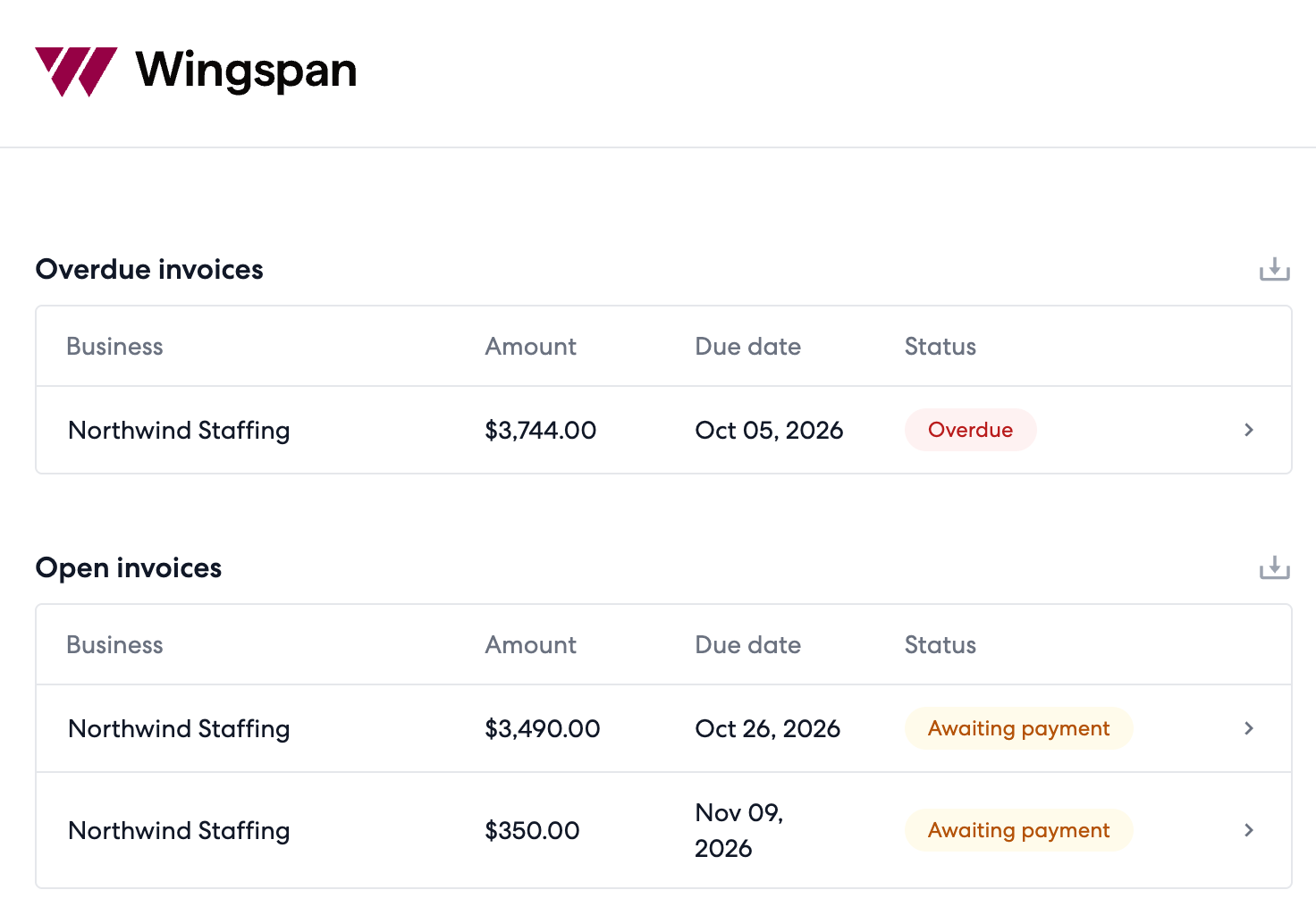
The portal groups invoices into three lists:
| List | What's in it |
|---|---|
| Overdue | Unpaid invoices past their due date |
| Open | Unpaid invoices due today or later |
| Payment history | Paid invoices, and payments that are still in transit |
Clients can load more rows and export each list to CSV.
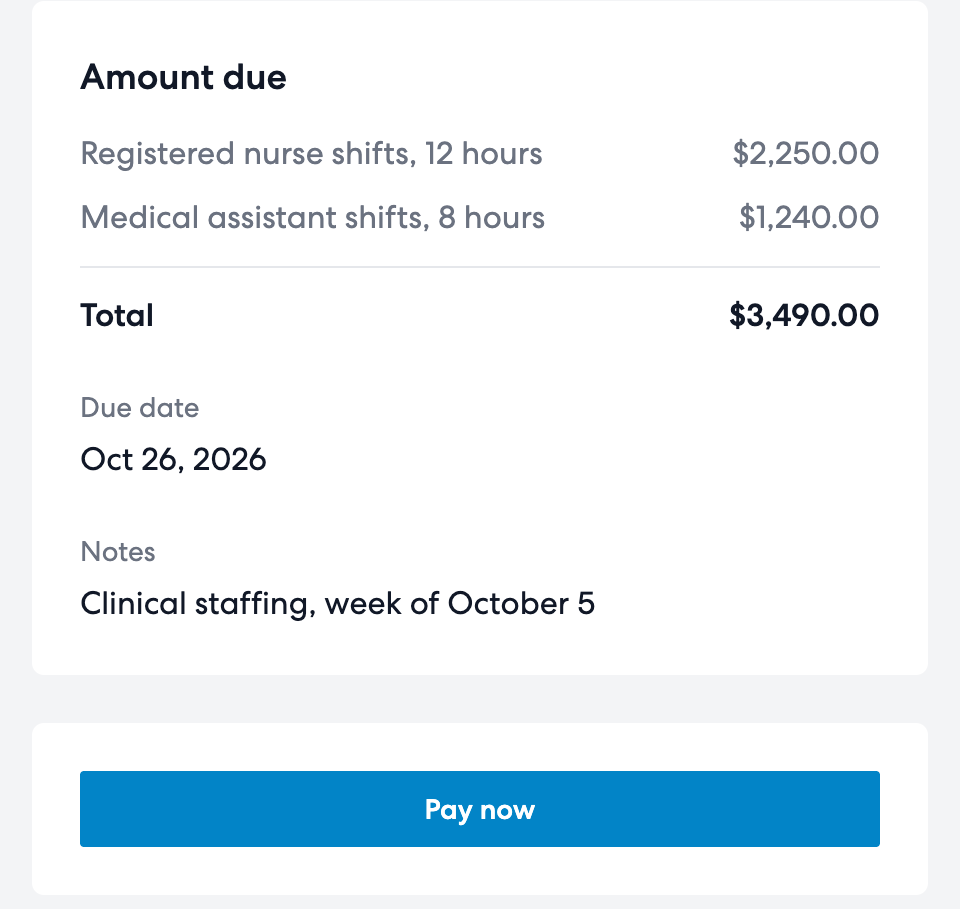
Each invoice opens to your business name, its status, line items, due date, paid date and notes, with a Pay now button.
Paying an invoice
Clients pay from a saved bank account and confirm each payment with a verification code. The invoice moves to Payment history as in transit, then shows as paid once the payment settles.
To charge a client's saved card, use automatic collection or collect through the API. Collect payment on an invoice covers both.
Payment methods and autopay
Clients add a bank account by connecting their bank, or by entering the account details and confirming two small deposits. They can also save cards and choose a default method.
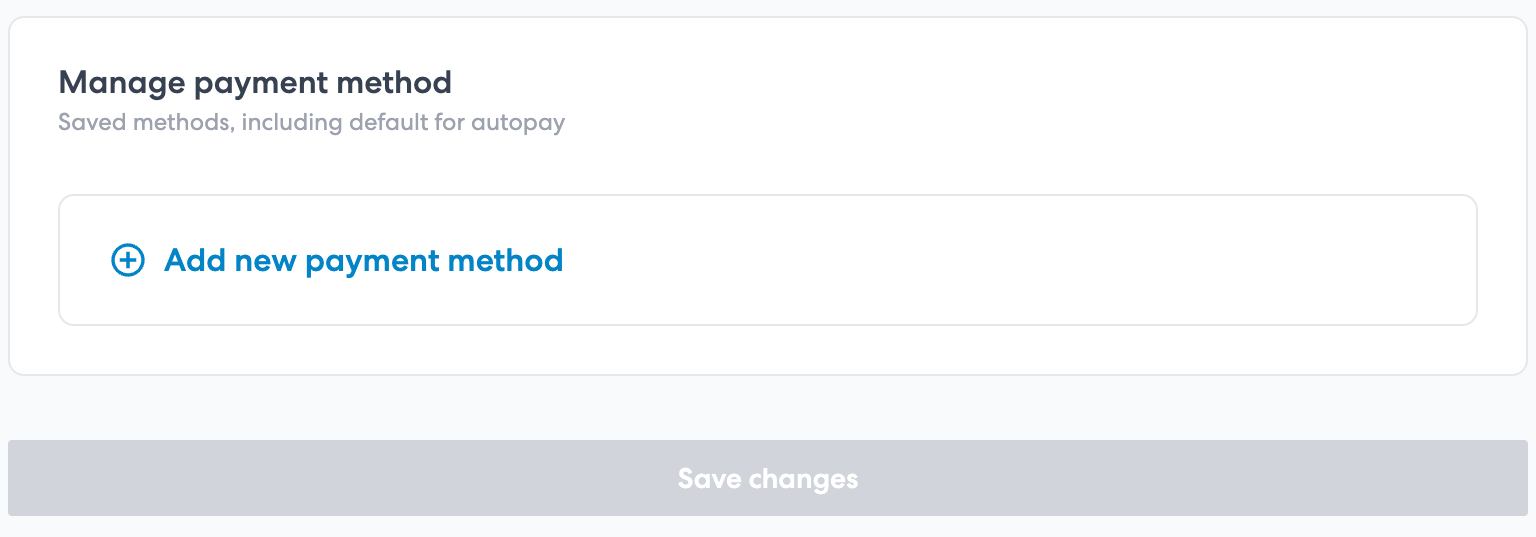
Autopay is set per business that bills them. When a client turns it on for you, Wingspan pays each of your invoices from their default method on its due date.
Team access
A client can add colleagues from team settings and give each one a role, such as Admin or Payable Manager, so their finance team works from the same invoices.
Keep clients in your app
The Embedded SDK renders Wingspan's payer screens inside your product. createManagePaymentMethod lets a client add a bank account or card and choose the default for autopay, and its allowedMethods option limits the choice to ach, credit_card or both. createDefaultPaymentMethod shows the current default. Each screen runs in a session for the client's Account, which your backend creates with a ServiceAccount.
Build the invoice screens on the invoice API:
| To | Call |
|---|---|
| Show the invoices you sent a client | List invoices |
| Offer a download | Get a download link for the invoice PDF |
| Collect the payment | Pay an invoice |
Related pages
Updated 13 days ago